
Every listening port
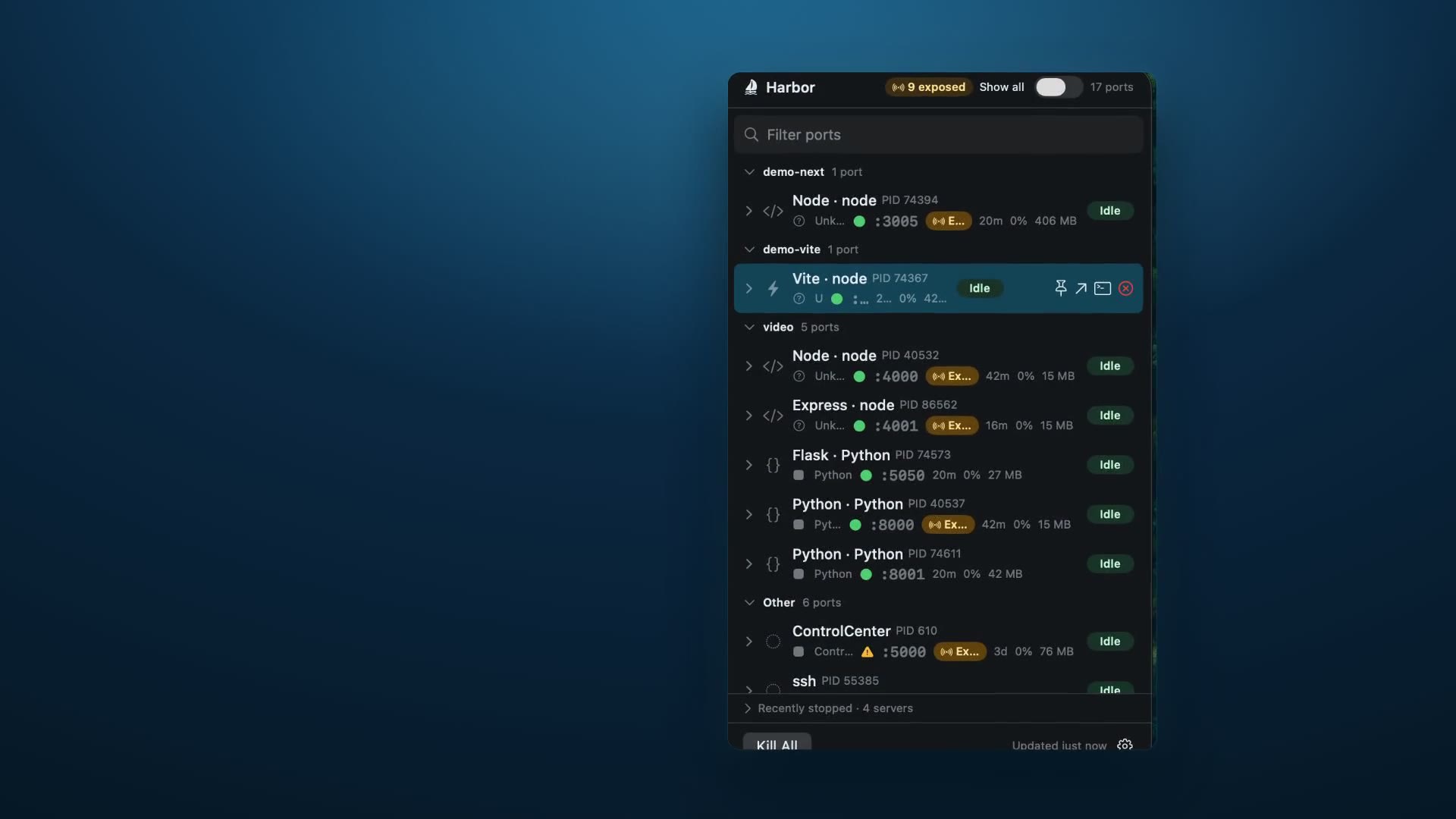
See localhost listeners across IPv4 and IPv6 without running lsof or hunting through terminal tabs.
macOS 26+ universal native menu-bar app
Harbor lists every dev server listening on localhost, with framework detection and live CPU, memory, and uptime for each one. Kill it, open it in your browser, or jump to its terminal in one click. Process inspection stays on your Mac.
Universal native menu-bar app for Apple silicon and Intel Macs. Harbor ships as a signed, notarized DMG for macOS 26+. Check SHA256
Feature overview
See localhost listeners across IPv4 and IPv6 without running lsof or hunting through terminal tabs.
Identify common dev stacks such as Next.js, Vite, Rails, Django, and Postgres from the process behind each port.
Track uptime, CPU, memory, and an energy badge so noisy servers stand out before they slow your machine down.
Open a port in your browser, jump to its terminal, kill one process, or clear the whole stack with Kill All.
Reach a service at a name that survives a restart instead of a
port that changes. HTTP-only .localhost addresses,
never any DNS edits and nothing exposed to your network.
Parallel checkouts stay legible: Harbor groups project → worktree → service, and labels worktrees started by Codex, Claude, or Cursor beside the service.
Filter by project, branch, agent, status, port, framework, or tunnel — so finding one service among forty is typing, not scrolling.
Increase Contrast and Differentiate Without Color are handled explicitly, VoiceOver labels every row and action, and the interface ships in English and Brazilian Portuguese.
Harbor Pro
$9.99 one-time purchase · 30-day money-back guarantee
Buy Harbor ProCheckout mints your license automatically. Click "Activate Harbor Pro" on the receipt page and the app unlocks itself — no key to copy. The same key stays on that page, and Harbor requests an email copy through its delivery provider as a backup. Harbor verifies it offline: no subscription and no recurring charge. Not happy? Email us within 30 days for a full refund.
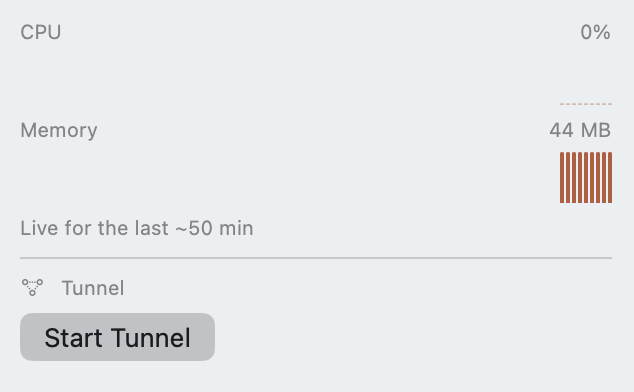
Start a tunnel on any local port using an installed and configured ngrok or cloudflared CLI, right from the row you're already looking at.
Use it to demo work-in-progress to a client before it's deployed, point a Stripe or GitHub webhook at localhost, or open your dev build on a real phone.
Restart Docker containers, Homebrew services, and launchctl-managed daemons with the same kill-grade confirmation Harbor already uses.
Use it when Postgres in Docker wedges after your Mac sleeps, or Redis needs a bounce after a config change — without hunting for the right restart command.
See a longer CPU and memory trend window in the detail inspector while Harbor keeps running.
Use it to catch a dev server leaking memory across the retained 10–50 minute automatic window, depending on your refresh setting, or find a file watcher quietly burning CPU behind a slow build.
Stripe hosts the payment — your card never touches this site.
One tap on the receipt page and the app unlocks itself.
No license key to paste during activation. Harbor verifies locally and keeps working offline; refunded licenses are enforced after a later successful revocation check.
Trust model
Non-sandboxed for a reason. Harbor needs to inspect and signal your own local processes to map ports and terminate runaway servers. It ships outside the Mac App Store as a Developer ID-signed, notarized download.
No telemetry. Harbor does not collect analytics or send process, port, project, or command data anywhere. Inspection happens on your Mac.
Verifiable downloads. Every release DMG is paired with a SHA256 checksum so you can verify the exact file you installed.
Changelog
.localhost name on a single exclusively bound
loopback port, with no DNS changes and no network exposure.